

Key Takeaways
- Paper budgeting builds strong money awareness but requires consistent manual effort to maintain.
- Spreadsheets offer maximum flexibility and control for people comfortable with basic formulas.
- Budgeting apps automate data entry but require trust in third-party data access and ongoing engagement.
- The best method is the one you'll actually use consistently — consistency beats sophistication.
- Many people combine two methods, such as an app for tracking and paper for planning.
Our Verdict
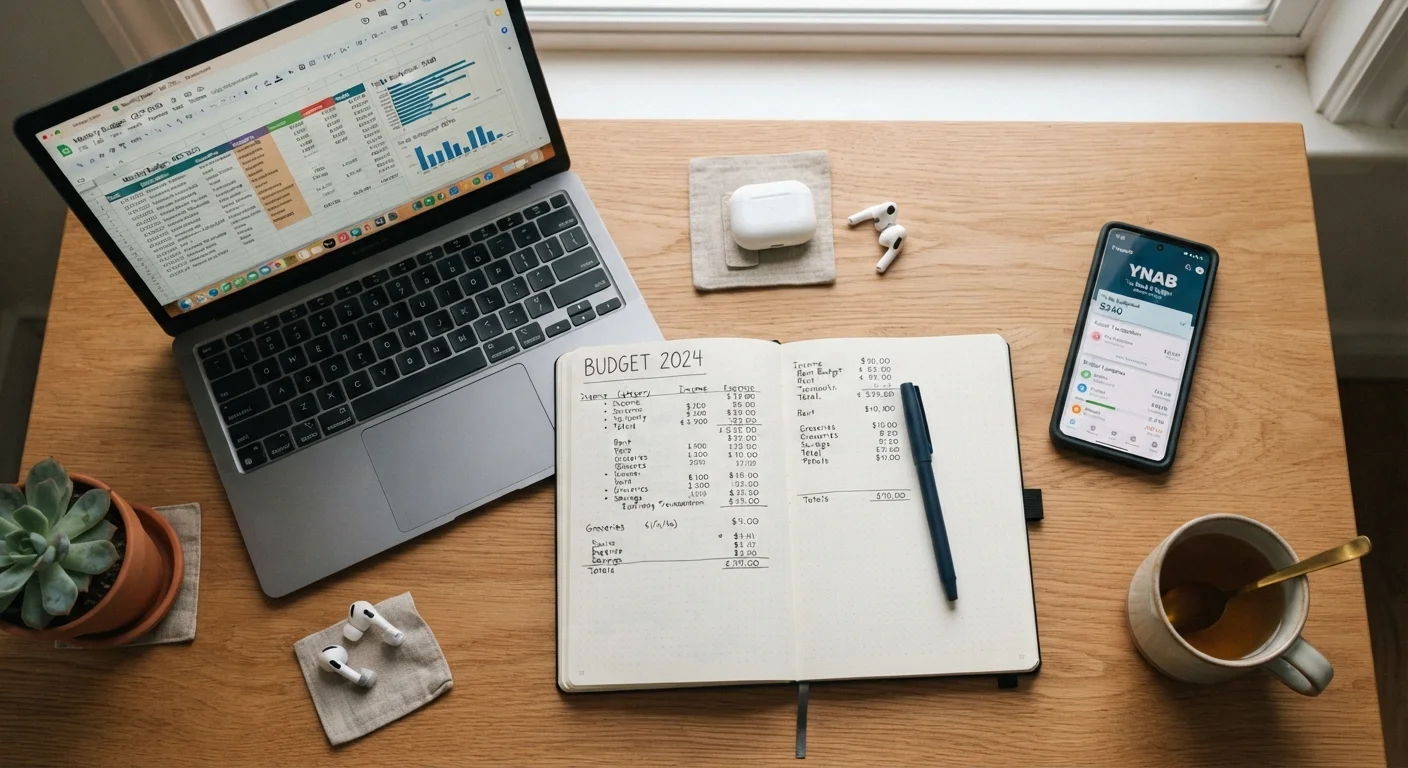
No single budgeting tool works for everyone. Paper suits hands-on learners and those who prefer privacy; spreadsheets fit detail-oriented users who want full control; apps work best for people who want automation and real-time visibility. The right choice comes down to your habits, comfort with technology, and willingness to maintain the system.
| Best for | Recommended |
|---|---|
| Those building money awareness for the first time | Paper budgeting |
| Detail-oriented users who want customizable tracking | Spreadsheets |
| Busy households wanting automated transaction tracking | Budgeting apps |
| Couples or households managing shared finances | Budgeting apps or spreadsheets |
Why Your Tracking Method Matters
A budget that lives only in your head doesn't work. At some point, spending needs to be written down — whether on paper, in a spreadsheet, or through an app — or the numbers have nowhere to land. But the method you choose shapes how likely you are to stick with it.
Each approach involves real trade-offs. Some people absorb information better when they write it by hand. Others need formulas and charts to feel in control. Still others won't open a notebook but will check a phone app daily. If you're building your first monthly budget, choosing a method that fits your actual habits — not the one that sounds most disciplined — is one of the most important early decisions you can make.
This comparison walks through what each method does well, where it tends to break down, and who it tends to suit best.
Comparing the Three Methods Side by Side
The table below summarizes how paper, spreadsheets, and apps compare across the criteria that matter most for everyday budgeters.
| Paper Budgeting | Spreadsheets | Budgeting Apps | |
|---|---|---|---|
| Setup effort | Minimal — pen and paper | Moderate — build or adapt a template | Low — account connection required |
| Ongoing time commitment | High — all entries manual | High — all entries manual | Low — transactions auto-imported |
| Cost | Near zero | Free to low-cost | Often $5–$15/month subscription |
| Customization | Fully flexible | Fully flexible | Limited to app's category structure |
| Privacy | Completely private | Completely private | Requires third-party data access |
| Best for | Hands-on learners, beginners | Detail-oriented, tech-comfortable users | Busy people who want automation |
| Biggest weakness | Doesn't scale, no automation | Time-consuming to maintain | Subscription cost, privacy trade-off |
Keep in mind that these are general patterns — individual experiences vary depending on how any tool is set up and used.
Paper Budgeting: Slow, Intentional, and Surprisingly Effective
Writing transactions by hand forces you to confront every dollar you spend. Research in learning and cognition consistently shows that handwriting engages the brain differently than typing — and for many people, that physical act of recording builds a stronger mental connection to their money. It's one reason cash-envelope budgeting, which pairs physical cash with written tracking, remains popular despite the availability of sophisticated apps.
Paper budgeting has no subscription fee, no login, and no third-party data access. It's also completely private. On the downside, it doesn't scale well. Tracking irregular income, multiple accounts, or shared household expenses by hand gets unwieldy fast. There's no automatic math, no charts, and no alerts when a category runs low. For more complex financial situations — like managing a variable or freelance income — paper alone often isn't enough.
Try Paper for One Month First
If you've never budgeted before, a simple handwritten ledger for 30 days can teach you more about your spending patterns than any app. The friction of writing things down is actually a feature — it slows you down enough to notice where money is going. After that month, you'll have real data to build a spreadsheet or set up an app with categories that reflect your actual life.
Spreadsheets: Full Control, More Setup
A well-built spreadsheet can do nearly anything a paid budgeting app can do — without handing your bank credentials to a third party. You can build custom categories, automate running totals with basic formulas, create monthly comparison charts, and track savings goals all in one place. Spreadsheets also scale well for households managing shared expenses between partners or roommates.
The catch is setup time. Building a useful budget spreadsheet from scratch takes real effort, and maintaining it requires manually entering transactions — a habit many people abandon within weeks. Templates can shorten the learning curve, but they still require you to adapt them to your situation. Spreadsheets also don't connect to bank accounts, so data entry depends entirely on you.
Spreadsheets Fail Without Consistency
A spreadsheet is only as accurate as the data you put into it. If you go a week or two without entering transactions, it quickly becomes an outdated snapshot rather than a useful tool. Build a short, regular habit — even five minutes every few days — to keep entries current. Without that routine, even the most elegant spreadsheet template becomes dead weight.
For people who are comfortable with basic formulas and want a system tailored exactly to their needs, a spreadsheet often becomes a long-term tool. For those who find setup frustrating or forget to update it, the automation of an app may serve them better.
Budgeting Apps: Automated but Not Hands-Off
Budgeting apps typically connect directly to your bank and credit card accounts, pulling in transactions automatically and sorting them into spending categories. The appeal is obvious: less manual work and a real-time view of where your money is going. Many apps also send alerts when you approach a spending limit or when an unusual charge appears.
The trade-offs are real, though. Most full-featured apps require a monthly or annual subscription. More importantly, connecting an app to your financial accounts means granting a third party read access to your transaction data — a privacy consideration worth thinking through. Miscategorized transactions (which happen regularly) still need manual correction. And apps can create a false sense of control: the data is there, but it only helps if you regularly review it. A good monthly budget checkup routine is still essential, regardless of which tool you use.
Apps tend to work best for people who are already comfortable with digital financial tools, have relatively straightforward income, and are willing to pay for convenience. They're also a natural fit for couples managing finances together, since many apps support shared access across devices.
~33%
Americans without a formal household budget
According to Gallup polling, roughly one in three U.S. adults reports not maintaining a detailed monthly budget.
~60%
Smartphone users open to mobile financial tools
Federal Reserve consumer finance surveys consistently find the majority of U.S. adults now use a smartphone for at least some financial tasks.
Whatever tool you choose, the habits you build around it matter more than the tool itself. For guidance on staying consistent over time, see habits that actually keep a budget on track.
This article is for general informational and educational purposes only and does not constitute personalized financial advice. For guidance specific to your financial situation, consider consulting a qualified financial professional.